Hello All!
I have renamed our Promotions category on the forums to Events & Promotions.
We have added a few plugins within that category, including a large calendar that displays at the top and shows all upcoming events created by not just SL Colonies officially, but YOU as the community.
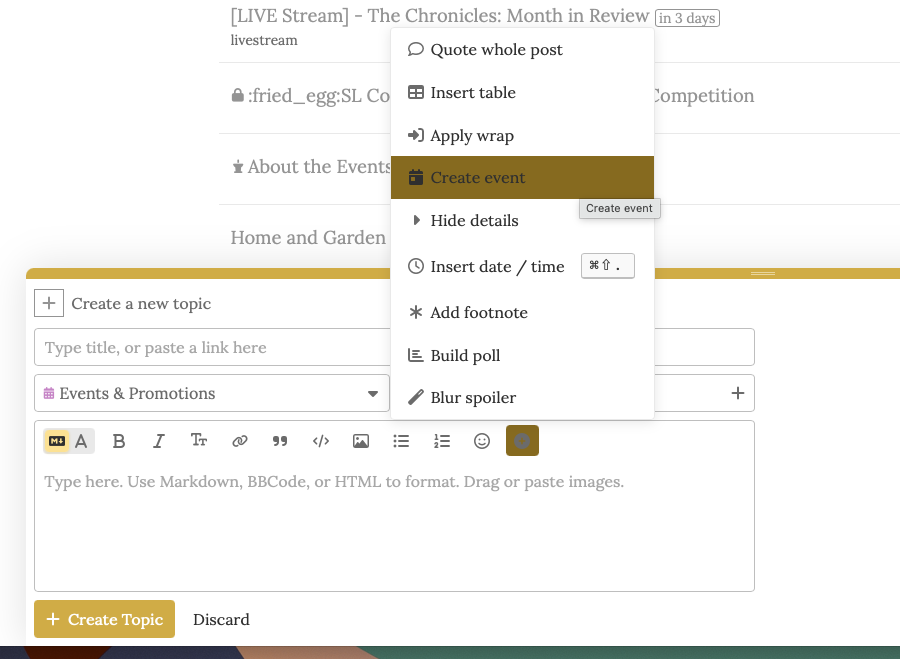
To create an event and have it listed in the calendar, simple go to create a new topic, as you would any other post and make sure to pick the Events & Promotions as your category.
When you are in the editing box, you can type anything you like as you normally would.
Find the little ‘+’ sign and click on that, and then on ‘Create Event’.
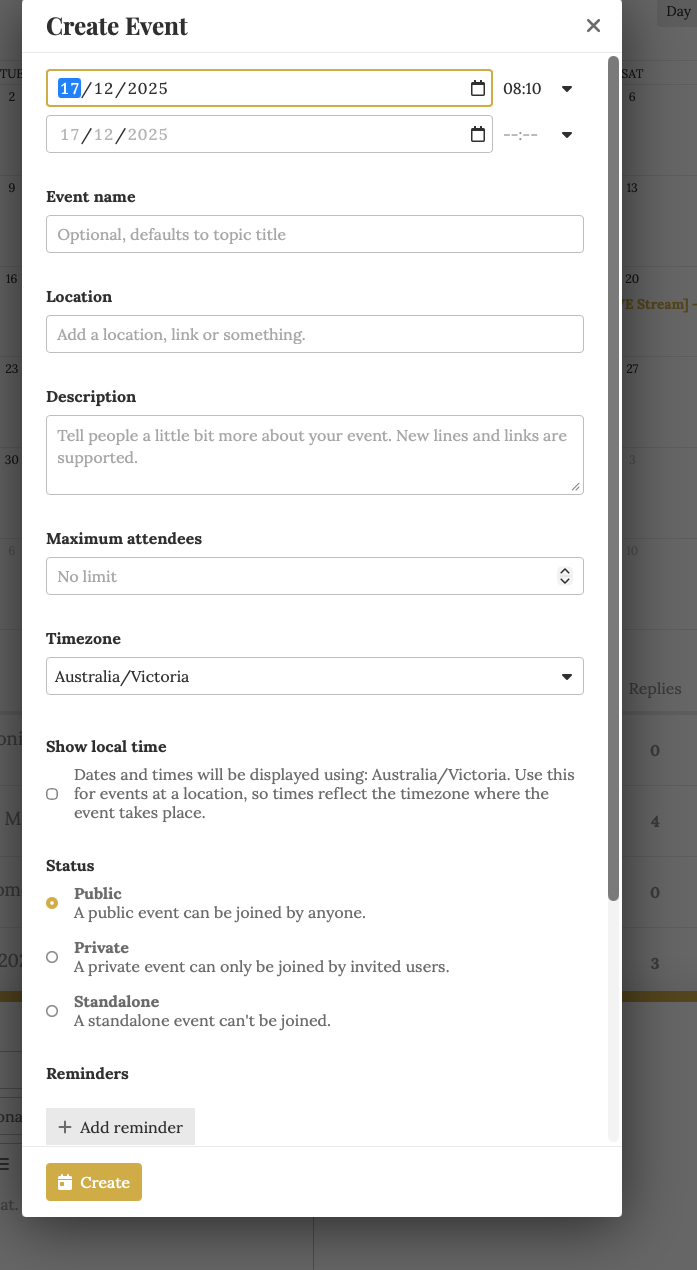
When you have click that, you will be presented with an event creation screen that will guide you through the process visually, without having to know any shortcode.
When your post goes live, it will show in the calendar on the Events & Promotions page for anyone to see!
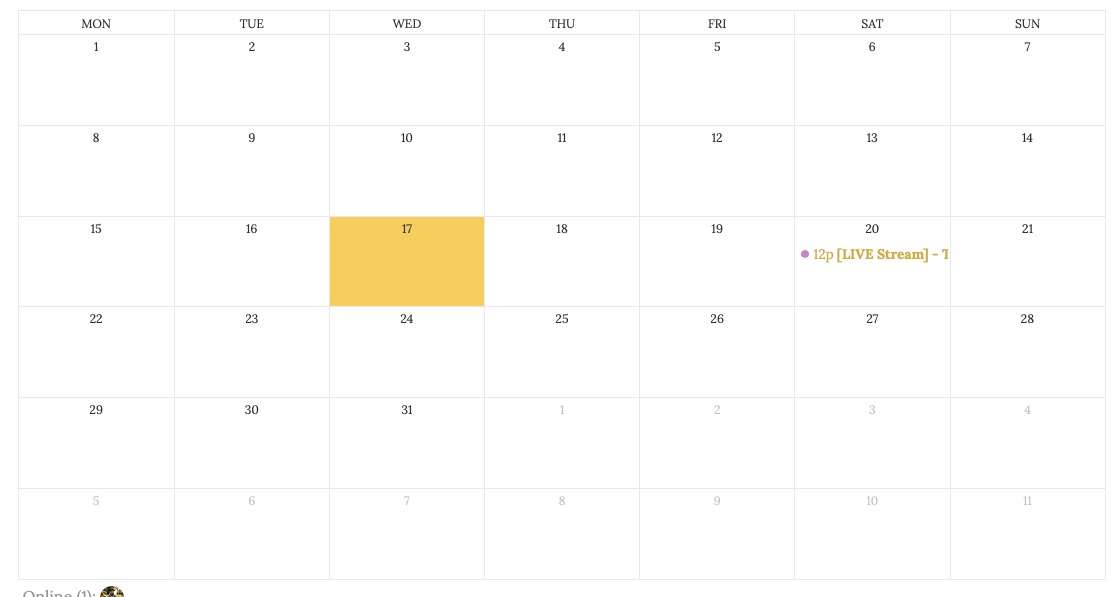
The calendar can be viewed in Day, Week, Month or Year mode, depending what you prefer. It will show as Month by default.
When someone views an event, they will see this within the post:
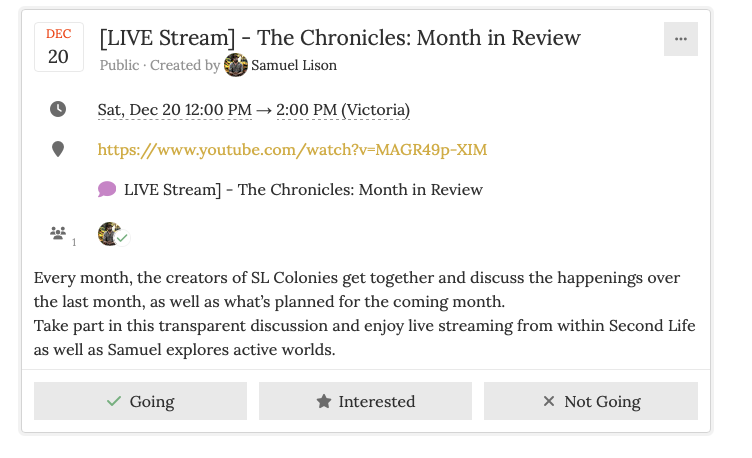
If they click on Going or Interested, they will get reminders (if you have set them) closer to the date.
Discussions can be had within the post, and you can add more detail, photos etc at any time.
Use it, it’s for YOU! And, most of all, ENJOY!